
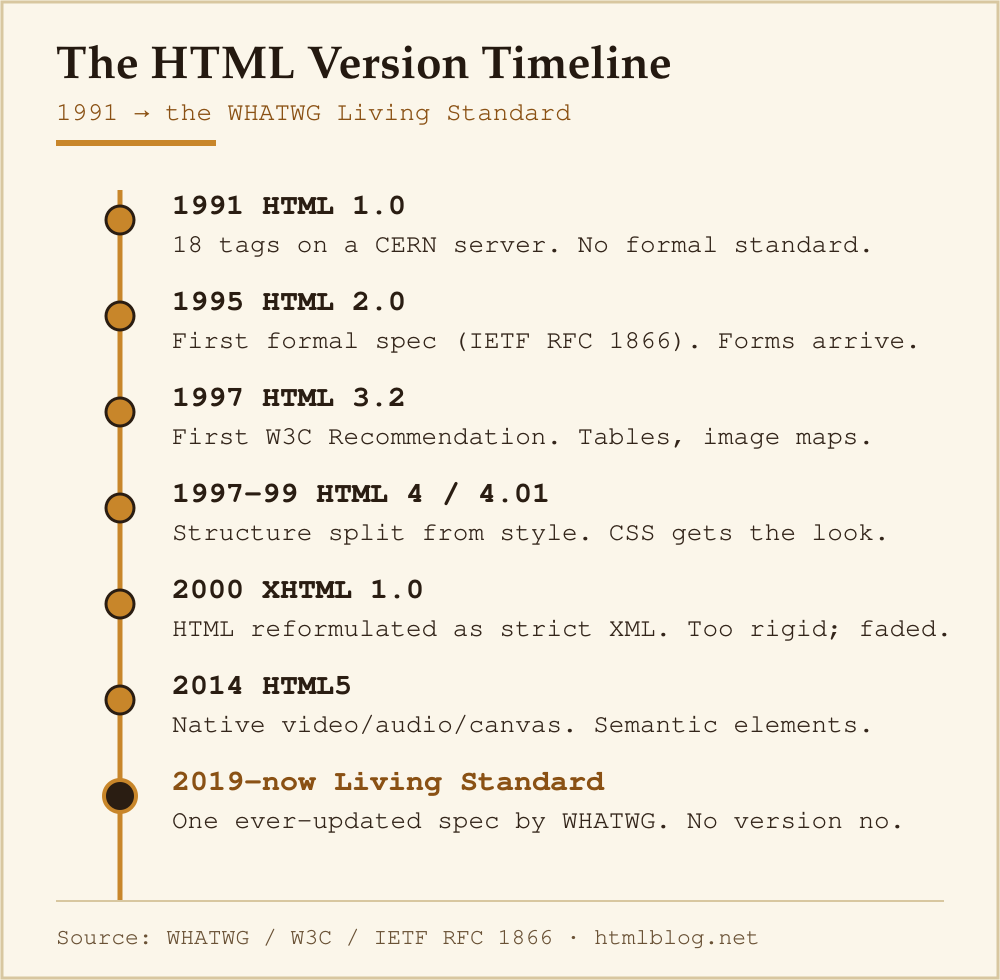
HTML has gone through seven distinct versions in thirty-plus years — each one reflecting what the web needed at that moment. Here is the full story, from Tim Berners-Lee’s first proposal to the browser-maintained standard running on every page you read today.
Who Created HTML and Why
In 1989, Tim Berners-Lee — a software engineer at CERN in Geneva — submitted a proposal titled “Information Management: A Proposal” to his manager Mike Sendall. The problem he was trying to solve was concrete: CERN employed thousands of researchers who kept leaving, taking their institutional knowledge with them. Berners-Lee wanted a way to link documents across different computers so information could survive staff turnover.
His solution combined two existing ideas: hypertext (non-linear linked text, theorised by Ted Nelson in 1965) and the internet’s existing TCP/IP network. The result was the World Wide Web — and HTML was its document language.
“The original idea of the web was that it should be a collaborative space where you can communicate through sharing information.” — Tim Berners-Lee, W3C website
The first public description of HTML tags appeared on info.cern.ch in late 1991. It listed 18 elements. Many of them — <a>, <p>, <h1>–<h6> — are still in every browser today.
HTML Version Timeline
| Version | Year | Key features and changes |
|---|---|---|
| HTML 1.0 | 1991 | 18 tags; text, headings, lists, hyperlinks, images. No official standard — Berners-Lee’s informal tag list on CERN servers. |
| HTML 2.0 | 1995 | First formal specification (IETF RFC 1866). Added forms (<input>, <textarea>), tables (proposed), image maps. |
| HTML 3.2 | 1997 | First W3C Recommendation. Added tables, applets, text flow around images. (HTML 3.0 was abandoned — too ambitious for browsers to implement.) |
| HTML 4.0 / 4.01 | 1997 / 1999 | Separated structure from presentation (push to use CSS). Added stylesheets, scripting, frames, accessibility attributes. HTML 4.01 fixed errata. |
| XHTML 1.0 | 2000 | Reformulated HTML 4.01 as XML. Required strict well-formed markup: lowercase tags, quoted attributes, closed empty elements (<br />). Fell out of favour — too strict for the open web. |
| HTML5 | 2014 | Major overhaul. Native <video>, <audio>, <canvas>. Semantic elements: <article>, <section>, <nav>, <header>, <footer>. Local storage API. Form validation. Designed to be error-tolerant (unlike XHTML). |
| WHATWG Living Standard | 2019–present | HTML is now a single continuously-updated specification maintained by Apple, Google, Mozilla, and Microsoft via the WHATWG. No version numbers. The spec at html.spec.whatwg.org is always the current truth. |
The CERN Years: HTML 1.0 (1989–1993)
Berners-Lee wrote the first browser and server software himself in late 1990. The browser was called WorldWideWeb (later renamed Nexus to avoid confusion with the web itself). It ran on NeXT computers — a platform most developers never saw.
The 18-element tag set was deliberately minimal. Berners-Lee’s goal was a universal format that any computer could render — not a rich desktop publishing system. That philosophy — “good enough for any device” — still shapes HTML decisions today.
Standardisation Begins: HTML 2.0 and the IETF (1994–1995)
By 1994, the web had browsers competing for users: Mosaic (later Netscape Navigator) was adding its own proprietary tags. The Internet Engineering Task Force (IETF) stepped in to write a proper specification. HTML 2.0 (RFC 1866, published November 1995) codified what was actually in use at the time.
In the same year, Berners-Lee founded the World Wide Web Consortium (W3C) at MIT to coordinate the web’s long-term development.
The Browser Wars and HTML 3.2 (1996–1997)
Netscape and Internet Explorer were adding incompatible extensions — <blink>, <marquee>, proprietary table attributes — faster than any standards body could respond. HTML 3.0 was drafted but shelved: it was too large for browsers to implement consistently.
The W3C released HTML 3.2 in January 1997 as a pragmatic compromise: it standardised what browsers actually supported, including tables and client-side image maps, while leaving the most divisive extensions out.
Structure vs Presentation: HTML 4 (1997–1999)
HTML 4.0 (December 1997) and its corrected revision HTML 4.01 (December 1999) made the biggest philosophical shift in HTML’s history. The W3C declared that HTML should describe structure and meaning, not appearance. Presentation — fonts, colours, layout — should move to CSS.
This separation is still the rule today. It is why a screenreader can parse a well-written blog post, and why the same HTML renders sensibly on a phone, a desktop, and a smart TV.
The XHTML Detour (2000–2008)
XHTML 1.0 reformulated HTML 4.01 as XML. The W3C’s goal was a stricter, more parseable web. In practice, even one malformed byte could cause an XML parser to refuse to render the page — a standard that the real-world web, full of user-generated content, could never reliably meet.
Work began on XHTML 2.0, which would have broken backward compatibility completely. Browser vendors rejected it. In 2004, Apple, Mozilla, and Opera formed the Web Hypertext Application Technology Working Group (WHATWG) and began work on what would become HTML5. The W3C formally abandoned XHTML 2.0 in 2009.
HTML5: The Modern Foundation (2008–2014)
The HTML5 specification addressed things the 1990s web never needed:
- Native multimedia without plugins (
<video>,<audio>) - A drawing surface for JavaScript (
<canvas>) - Semantic landmarks that assistive technology can navigate (
<main>,<nav>,<article>) - Built-in form validation (required, type=”email”, pattern attributes)
- Client-side storage (localStorage, sessionStorage)
- Offline application caching (later replaced by Service Workers)
The W3C published the final HTML5 Recommendation in October 2014 — though browsers had been shipping features from the draft for years before that date.
Here is a minimal valid HTML5 document:
<!DOCTYPE html>
<html lang="en">
<head>
  <meta charset="UTF-8">
  <meta name="viewport" content="width=device-width, initial-scale=1.0">
  <title>Page title</title>
</head>
<body>
  <h1>Hello, world</h1>
  <p>This is a paragraph.</p>
</body>
</html>
Notice the <!DOCTYPE html> — the HTML5 doctype. It tells the browser to use standards mode. Earlier doctypes were long strings referencing specific DTD files; HTML5 simplified this to five characters.
The Living Standard: HTML Today
In 2019, the W3C and WHATWG agreed on a single authoritative HTML specification: the WHATWG HTML Living Standard. There will be no HTML6. Instead, new features are added continuously and browsers ship them as they pass cross-browser review.
This means the HTML you write today is forward-compatible by design. The <dialog> element, the popover attribute, the <search> landmark — these landed in the Living Standard in the 2020s and are now supported across all major browsers.
You can track current browser support for any HTML feature on Can I Use.
Why the History of HTML Matters for Learners
When I first started writing HTML, I kept tripping over advice from different eras. Tutorials from 2003 recommended <font> tags and align="center". Tutorials from 2010 were full of XHTML-style self-closing tags on everything. Knowing the timeline tells you which advice to ignore.
The short version:
- If you see
<font>,<center>, or<b>for bold — that’s pre-HTML5 presentational markup. Use CSS instead. - If you see
<br />(with the slash) everywhere — that’s XHTML syntax. Fine but unnecessary in HTML5. - If a tutorial does not include
<!DOCTYPE html>at the top — it predates HTML5.
The MDN Web Docs are the best place to check whether any element or attribute is current: each page notes what HTML version introduced it and whether it is deprecated.
Frequently Asked Questions
What is the current version of HTML?
There is no numbered current version. HTML is maintained as the WHATWG HTML Living Standard — a continuously updated specification with no version numbers. The last W3C-numbered version was HTML5 (2014).
Who maintains HTML today?
The Web Hypertext Application Technology Working Group (WHATWG), a collaboration between Apple, Google, Mozilla, and Microsoft. The W3C publishes “snapshots” of the Living Standard but WHATWG is the authoritative source.
Will there be an HTML6?
No — not as a separate numbered release. The Living Standard model means HTML is continuously updated. New features (like the popover API in 2023) ship incrementally rather than in major version jumps.
Is HTML the same as XML?
No. XML requires strict well-formed markup — one parsing error and the document fails. HTML has a fault-tolerant parser: browsers will render broken markup rather than refuse to display the page. XHTML was an attempt to make HTML follow XML rules; it was largely abandoned by 2009.
Where can I read the official HTML specification?
The WHATWG specification is at html.spec.whatwg.org. For practical element-by-element reference, MDN Web Docs is more readable and includes browser compatibility tables.
Understanding where HTML came from is useful context before you write your first line — and if you are not sure where to start, the guide on HTML basics for beginners covers the fundamentals. Once you have the basics, check how long it realistically takes to learn HTML to set a sensible timeline.