
The honest answer is two to four weeks to cover the basics, and two to three months to feel genuinely capable. What varies is the goal — picking up enough HTML to fix a broken blog post is a weekend project; getting ready for a junior front-end role takes sustained practice.
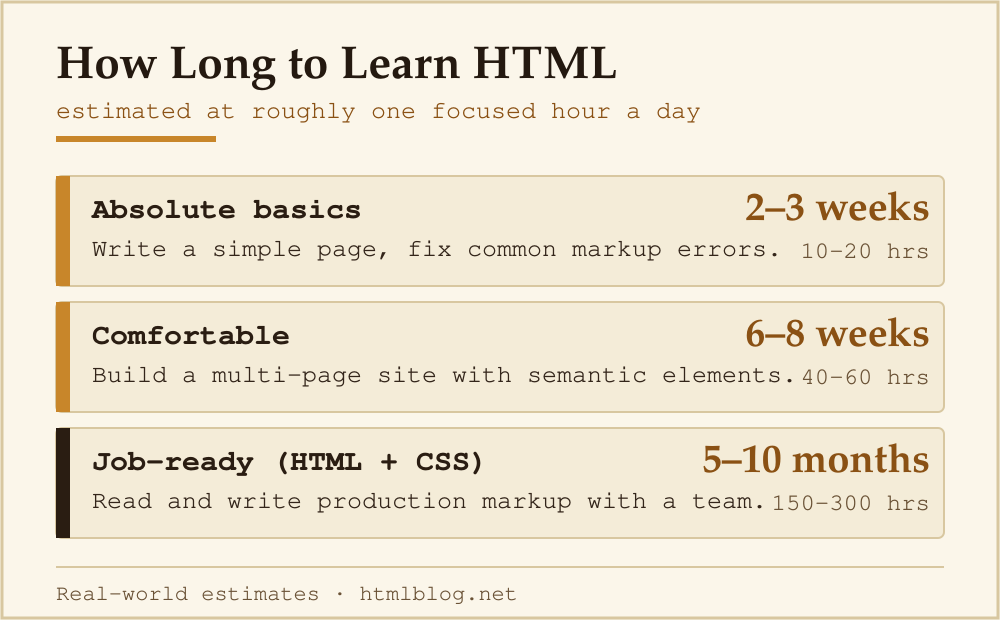
HTML Learning Timeline at a Glance
| Skill level | What you can do | Estimated hours | Weeks at 1 hr/day |
|---|---|---|---|
| Absolute basics | Understand tags, write a simple page, fix common markup errors | 10–20 hrs | 2–3 weeks |
| Comfortable | Build a multi-page site, use semantic elements, add images and links correctly | 40–60 hrs | 6–8 weeks |
| Job-ready (HTML + CSS baseline) | Work on real projects with a team, read and write production markup confidently | 150–300 hrs | 5–10 months |
These are real-world estimates, not marketing copy from a course platform. The spread exists because daily practice time, prior technical experience, and how actively you build things (versus just reading tutorials) all shift the outcome significantly.
Is HTML Hard to Learn?
HTML is widely considered the most accessible entry point into web development. It has no syntax for logic, no types, no compilation step. You write tags, save the file, open it in a browser, and see the result immediately. That tight feedback loop is genuinely helpful when you are starting out.
The difficulty people encounter is not the syntax — it’s the sheer number of elements and attributes. The HTML Living Standard defines over 100 elements. In practice, roughly 20 cover 90% of everyday use: headings, paragraphs, links, images, lists, divs, forms, tables, and a handful of semantic structural elements like <header>, <main>, and <footer>.
A Week-by-Week Beginner Roadmap
- Week 1 — Core structure. Learn
<!DOCTYPE html>,<html>,<head>,<body>, headings, paragraphs, and links. Build a single-page “about me” document. Resource: MDN Getting started with HTML. - Week 2 — Media and lists. Add images with
<img>, create ordered and unordered lists, and understand relative vs absolute paths. Build a page with a navigation list and a few images. - Week 3 — Semantic structure. Swap generic
<div>wrappers for<header>,<nav>,<main>,<article>,<section>, and<footer>. Learn why semantics matter for accessibility and search engines. - Week 4 — Forms and tables. Build a contact form with
<form>,<input>,<label>, and<button>. Create a basic data table. These come up constantly in real projects. - Weeks 5–8 — Build something real. Pick a small project (a portfolio page, a recipe site, a blog template) and build it start to finish. You will hit problems that no tutorial covers — that friction is where the actual learning happens.
Can You Teach Yourself HTML?
Yes, and most working web developers did. When I first picked up HTML, the entire workflow was: open a text editor, type a tag, open the browser, see what broke. That loop still works. The advantage of structured learning is that it surfaces concepts in a logical order so you do not spend three days confused about something a ten-minute explanation would have solved.
Good free resources for self-study:
- MDN Web Docs — HTML (maintained by browser vendors; always up to date)
- W3Schools HTML Tutorial (beginner-friendly, quick reference)
- freeCodeCamp’s Responsive Web Design curriculum (hands-on exercises)
- The Odin Project (project-based, open-source)
HTML vs CSS vs JavaScript: How Do They Compare?
“HTML is the easiest of the three. You can learn the essentials in a week. CSS takes longer because layout is genuinely tricky. JavaScript is where most beginners hit a wall — it behaves like a real programming language.”
A rough difficulty ranking for beginners:
- HTML: Low barrier. Logical, forgiving, visual feedback is immediate.
- CSS: Medium. The syntax is simple but layout — especially flexbox and grid — requires building a mental model that takes time to develop. Once you have HTML, find out how long CSS takes to learn.
- JavaScript: Higher barrier. Programming concepts (variables, functions, events, asynchronous code) require a different kind of thinking than markup.
This is not a reason to avoid CSS or JavaScript — it is context for setting realistic expectations. Start with HTML, build something, then layer in CSS. That sequence avoids the overwhelm of trying to learn all three at once.
What Slows People Down
The most common reasons a beginner stalls:
- Tutorial paralysis. Watching dozens of videos without building anything. You need to type the code yourself — the muscle memory and the mistakes are both part of the learning.
- Skipping validation. The W3C Markup Validation Service is free and will catch unclosed tags and attribute errors immediately.
- Confusing HTML and CSS. Beginners often write CSS properties directly in HTML style attributes, or try to use HTML for visual effects. Keeping the two responsibilities separate saves you pain later.
- Not using browser developer tools. Right-click → Inspect in any browser gives you a live view of the DOM. Learning to use it early cuts debugging time dramatically.
Understanding HTML in Your Blog Workflow
For bloggers who do not want a career in web development, the target is narrower: enough HTML to manage your own content confidently. That is closer to the “absolute basics” tier in the table above — a few focused hours covers what you actually need. For a practical breakdown of which HTML skills matter for bloggers specifically, see HTML for bloggers. For the bigger picture of what HTML is and where it fits, start with our HTML basics guide.
Frequently Asked Questions
Can I learn HTML in a day?
You can learn what HTML is and write a basic page in a day. You will not be comfortable with it in a day. The gap between “I understand the concept” and “I can apply this without looking everything up” takes weeks of regular practice to close.
Do I need to memorise all the HTML tags?
No. Professional developers look things up constantly — that is what documentation is for. The goal is to know which tags exist and what problems they solve. MDN’s HTML element reference is the standard resource for looking up anything you do not have memorised.
How many hours a day should I study HTML?
One focused hour per day is more effective than a five-hour binge once a week. Regular short sessions build retention. The key word is “focused” — writing code and building things, not passive watching.
Is HTML enough to get a job?
HTML alone is not enough for a web development job. Employers expect HTML together with CSS (layout and styling) and at minimum a basic understanding of JavaScript. HTML knowledge alone is useful for content management, email development, and some marketing-tool roles, but it is not a complete employable skill set on its own.
What should I build first to practise HTML?
A personal page — your name, a short bio, links to things you care about. Keep the scope small enough to finish in a sitting. The act of deciding what to put on a page and making it appear in a browser is more educational than any tutorial exercise, because the choices and the mistakes are both yours.